Sales: (780) 420 1111
Service & Parts: (780)420 1111


On vehicles equipped with Toyota’s Integrated Homelink System, drivers can open or close a Homelink-enabled garage door or gate from inside the vehicle.
3 Homelink buttons, each of which can operate a different door or gate, are located on the inside mirror or overhead console, depending on the model.
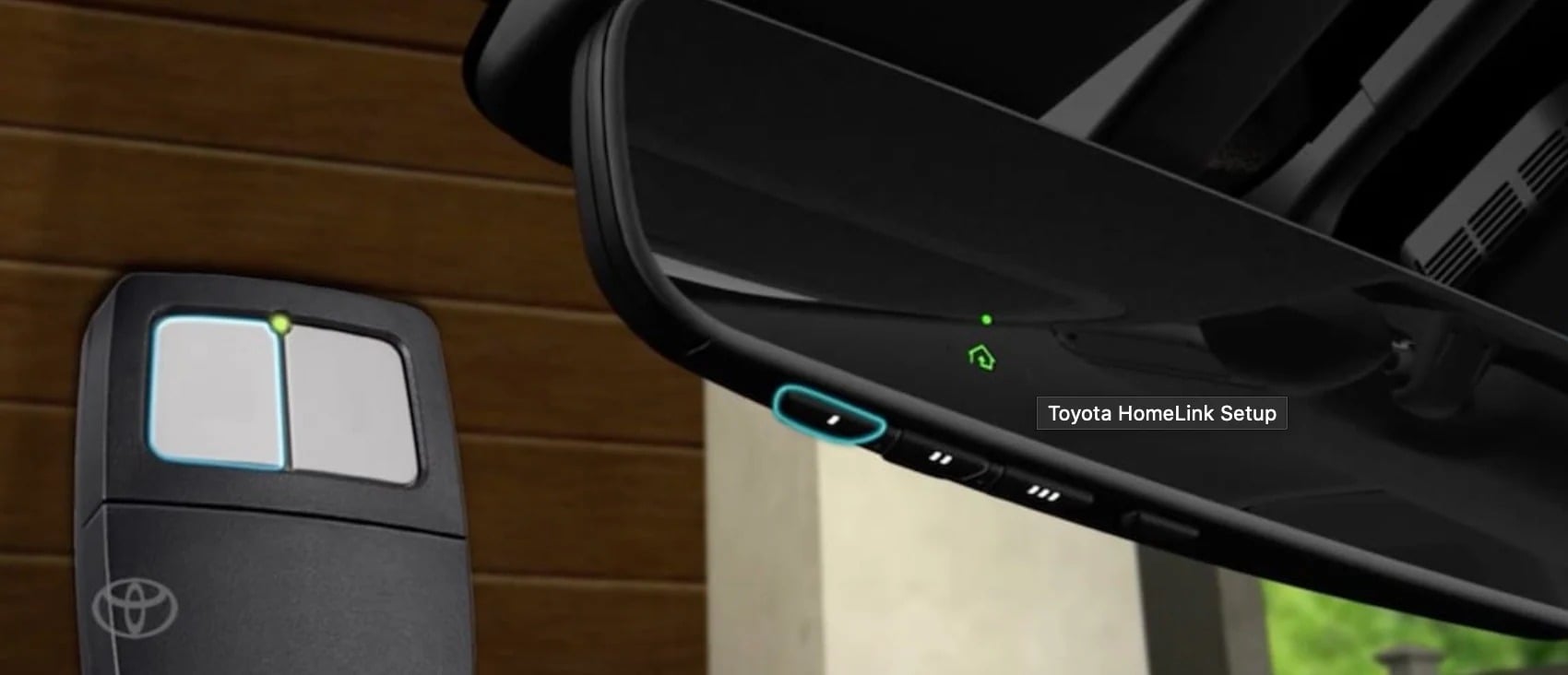
To program the code for the Garage Door or Gate to the Homelink button in the vehicle, first put the device’s opener into LEARN or DISCOVERABLE MODE. Refer to the opener’s instructions for direction during programming.
You should move the vehicle a sufficient distance away from the garage door opener, to prevent unintentional operation during programming. Then, hold the transmitter 25 to 75 mm (1 to 3 in.) away from the surface of the HomeLink controls. Keep the indicator light on the Homelink in view while programming.
While holding the transmitter in the position, press and hold the selected Homelink button repeatedly. Meanwhile, Press and release the device’s remote control button for 2 seconds each time, until the indicator light on the Homelink Transceiver starts to flash rapidly. Then, release the buttons.
Test the system by pressing the newly programmed Homelink button to ensure the program door or gate operates correctly.
Up to 3 transmitter codes can be registered in the garage door opener system. Repeat the same steps to program different doors or gates to the remaining Homelink buttons.
To reprogram a button to operate a different door or gate, press and hold the button for at least 20 seconds until the Homelink indicator light starts flashing slowly.
Then, keep pressing that button and press and hold the new device’s transmitter button until the indicator light changes from a slow to a rapid flash. After which, the buttons can be released.
While individual buttons can be re-programmed to new devices, they can not be individually erased. However, the entire memory for all three Homelink buttons can be erased by simultaneously pressing and holding the 2 outside buttons for 10 seconds until the indicator light flashes. The complete memory should be erased when the vehicle is transferred to another owner.
If you found this post helpful, subscribe to our YouTube channel for more Know Your Toyota videos.